
TIL-03: QR Code
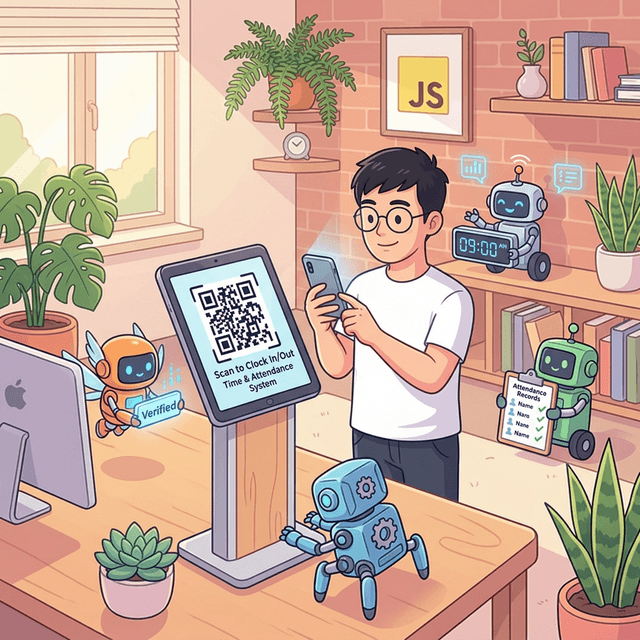
A new project at work required us to use QR Codes, so I decided to take this opportunity to learn about the technology and write a TIL (Today I Learned) about it.
Our company's Time & Attendance service allows employees of our client companies to record their clock-ins (CI) and clock-outs (CO). Recently, we've received many requests from clients to add a feature that requires scanning a QR Code before clocking in or out, in order to prevent abuse.
Personally, I have only used QR Codes as a user and know nothing about the underlying technology required to implement them. Through this TIL, I aim to grasp at least the fundamental aspects.
What is a QR Code?

One-sentence definition: A QR Code (Quick Response Code) is a 2D matrix-style barcode that encodes text, URLs, data, etc., into a black-and-white pattern so that it can be quickly read by a camera.
Why is it needed?
Traditional barcodes (1D) can only hold a few dozen numbers. However, when building web services, there is often a need to store more information:
- URL to launch an app (Deep Link or Universal Link)
- Unique Identifier
- What action the user is performing
- Tokens or timestamps to prevent forgery
To hold this amount of data, 1D barcodes are insufficient, and 2D QR Codes are required. A QR Code can hold up to about 4,296 alphanumeric characters, which is more than enough to encode a URL + parameters.
5 Core Principles
1. Encoding Structure - "Converting data into black-and-white modules"
The smallest unit of a QR Code is a module—a black or white square dot. After converting the input data into a bitstream, this bitstream is placed on the matrix as a black (1) / white (0) module pattern.
There are 4 encoding modes, and one is automatically selected based on the data type:
- Numeric: Numbers only (Most efficient, max 7,089 characters)
- Alphanumeric: Uppercase letters + numbers + some symbols (Max 4,296 characters)
- Byte: Byte data like ISO-8859-1 (Max 2,953 bytes)
- Kanji: Japanese Kanji (Max 1,817 characters)
2. Finder Pattern - "Readable no matter how you scan it"
You have probably seen the large square patterns at the three corners of a QR Code. These are Finder Patterns. When a camera recognizes a QR Code, it first finds the positions of these three patterns to determine the code's orientation, size, and angle.
■■■■■■■  □  ■■■■■■■
■□□□□□■  □  ■□□□□□■
■□■■■□■  □  ■□■■■□■
■□■■■□■  □  ■□■■■□■
■□■■■□■  □  ■□■■■□■
■□□□□□■  □  ■□□□□□■
■■■■■■■  □  ■■■■■■■
□□□□□□□  □  □□□□□□□

■■■■■■■
■□□□□□■
■□■■■□■     ← None in the 4th corner!
■□■■■□■        (Used to determine orientation)
■□■■■□■
■□□□□□■
■■■■■■■
The reason there are only three is important. If they were in all four corners, the code would be symmetrical (top/bottom, left/right), making it impossible to determine the orientation. By placing only three, the rule "empty corner = bottom right" confirms the orientation.
3. Error Correction - "Readable even if partially damaged"
QR Codes use Reed-Solomon error correction codes. Extra error correction codewords are encoded alongside the data, allowing the QR Code to be restored even if it is partially covered or damaged.
There are 4 levels:
| Level | Restoration Capacity | Usage |
|---|---|---|
| L (Low) | ~7% | Clean environments, maximizes data capacity |
| M (Medium) | ~15% | General use |
| Q (Quartile) | ~25% | Slightly harsh environments |
| H (High) | ~30% | Inserting logos, harsh environments |
Since we'll be displaying the QR Code directly on a store tablet screen, physical damage is highly unlikely for the new QR Code-based CI/CO feature. Therefore, Level L or M should be sufficient.
4. Version - "Size varies depending on the amount of data"
There are 40 versions of QR Codes, from Version 1 (21x21 modules) to Version 40 (177x177). As the version increases, the number of modules increases, allowing it to hold more data.
Formula: Number of modules = (Version x 4) + 17
For example, for a URL like https://app.example.com/clockin?store=ABC123&token=xyz (about 60 bytes), Version 4 (33x33) would be plenty.
5. Masking - "Optimizing the pattern for scanners to read well"
If the encoded data accidentally creates a pattern similar to the Finder Pattern, or if black/white modules cluster heavily on one side, the scanner might misread it. Therefore, when generating a QR Code, all 8 mask patterns are applied, and the mask with the lowest penalty score is automatically selected. This process is handled automatically by the library, so developers rarely have to deal with it directly.
QR Code vs Other Codes Comparison
| Comparison Item | 1D Barcode | QR Code (2D) | Data Matrix |
|---|---|---|---|
| Data Capacity | ~20 numbers | ~4,296 alphanumeric | ~2,335 alphanumeric |
| Orientation Recognition | Horizontal only | 360 degrees, any direction | 360 degrees, any direction |
| Error Correction | None | Up to 30% | Up to 30% |
| Recognition Speed | Average | Fast | Fast |
| Ecosystem | POS systems | General-purpose (Mobile camera support) | Industrial-focused |
For my use case, a QR Code is considered optimal because default mobile camera apps natively recognize QR Codes.
QR Code-based T&A System Architecture
Here's a simplified view of the implementation flow:
[Store Tablet]         [Employee Mobile]       [T&A Server]
     │                      │                       │
     │  1. Display QR Code  │                       │
     │  (Encode URL)        │                       │
     │ ─────────────────→   │                       │
     │  Scan with camera    │                       │
     │                      │  2. URL → Launch App  │
     │                      │  (Deep Link)          │
     │                      │                       │
     │                      │  3. Request CI/CO ──→ │
     │                      │                       │  4. Verify & Record
     │                      │  ←───── Response ──── │
     │                      │  5. Display Result    │
Example of the content held by the QR Code here:
https://example.tna.com/clock
  ?store_id=STORE_001
  &action=clock_in
  &ts=1709900000
  &sig=a3f2b1c8...
sig is an HMAC signature generated with the server's secret key to verify that the QR Code has not been forged. ts limits the validity time of the QR Code to prevent things like reusing screenshots.
Pros and Cons Analysis
Pros:
- Native mobile camera support: Can recognize URLs without installing a separate app.
- Built-in error correction: Recognizable despite slight screen glare/blur.
- Fast recognition speed: Employees can quickly CI/CO.
- Sufficient data capacity: Can easily hold URLs + parameters.
Cons:
- Susceptible to screenshot duplication: Requires countermeasures like time-based tokens or one-time QR codes.
- Affected by lighting conditions: Recognition rate varies depending on tablet brightness, reflections, etc.
- Dependent on camera performance: Possible recognition delays on low-end devices.
Other Technologies Related to QR Codes
Earlier in the T&A system architecture, we looked at how to enhance security by including ts (timestamp) and sig (HMAC signature) in the QR Code. This idea of "time-based validity" is actually borrowed from an existing technology called TOTP. Since QR Codes are also used to deliver the secret key for TOTP, let's see how the two technologies connect.
1. TOTP
What is TOTP?
One-sentence definition: TOTP (Time-based One-Time Password) is an algorithm that generates a new one-time password at regular intervals (usually 30 seconds) by combining the current time and a secret key.
The 6-digit number that changes every 30 seconds in apps like Google Authenticator or Microsoft Authenticator—that is exactly TOTP.
Why is it needed?
Problem: If a password is leaked, anyone can log in. Because a password is something you "know" (knowledge), once it is known, it's game over.
Solution: Combine the password with something you "have" (possession). Because TOTP generates a time-based code using a secret key stored on the user's device, even if the password is leaked, login is impossible without the device. This is the core of 2FA (Two-Factor Authentication).
Core Principles of TOTP
1. Sharing the Secret Key - "Server and client share the same seed"
The starting point of TOTP is the server and the client (authenticator app) sharing the same Secret Key.
[Server]                      [Client App]
  │                                 │
  │  Secret Key: JBSWY3DPEHPK3PXP   │
  │  ════════════════════════════   │
  │  (Both have the same key)       │
  │                                 │
This secret key is delivered only once during the initial registration, and is not transmitted over the network afterward. This is where the QR Code comes in (to be explained later).
2. Time as Input - "The current time is the counter"
TOTP is an extension of HOTP (HMAC-based OTP). While HOTP uses a "counter value" as input, TOTP uses the current time as the counter.
Time step calculation:

T = floor(Current_Unix_Time / Time_Interval)

Example (Time interval = 30 seconds):
- Unix Time 1709899980 → T = 56996666
- Unix Time 1709900009 → T = 56996666  (Same 30-second interval)
- Unix Time 1709900010 → T = 56996667  (Next 30-second interval → New code!)
3. Generating the Code with HMAC-SHA1 - "Secret key + Time → Hash → 6 digits"
Looking at the generation process step by step:
Step 1: Calculate time step
  T = floor(1709900000 / 30) = 56996666

Step 2: Convert T to an 8-byte big-endian integer
  T_bytes = 0x000000000365B33A

Step 3: Calculate HMAC-SHA1
  hash = HMAC-SHA1(secret_key, T_bytes)
  → Generates a 20-byte hash value

Step 4: Dynamic Truncation
  offset = hash[19] & 0x0F        ← Lower 4 bits of the last byte
  code = (hash[offset..offset+3]) & 0x7FFFFFFF ← Extract 4 bytes, remove the most significant bit

Step 5: Limit the number of digits
  OTP = code mod 10^6     ← Limit to 6 digits
  → Example: 482917
Why Dynamic Truncation? The output of HMAC-SHA1 is 20 bytes (160 bits), and we need to extract a 6-digit number from this. If we simply use the first 6 digits, a specific part of the hash is exposed, making it predictable. By using the hash value itself to determine "where to cut," it makes prediction difficult.
4. Time Tolerance - "It's fine if the clocks are slightly off"
In reality, it's hard for the server and client clocks to match exactly. So, the server usually verifies codes within a range of the current time step ±1~2 intervals.
Server verification range (when skew = 1):

  OTP of interval T-1 ← Allows code from 30 seconds ago
  OTP of interval T   ← Current code
  OTP of interval T+1 ← Allows code from 30 seconds in the future
Thanks to this, authentication succeeds even if the clock is off by up to 30 seconds.
5. Standard: RFC 6238
TOTP is defined in RFC 6238, and its foundation, HOTP, is defined in RFC 4226. Thanks to this standard, different apps like Google Authenticator, Authy, and 1Password can generate the identical code with the same secret key.
2. otpauth
What is otpauth?
One-sentence definition: otpauth is a URI scheme used to represent OTP configuration information (secret key, account, algorithm, etc.).
Just as clicking a URL starting with https:// in a web browser opens the browser, recognizing a URI starting with otpauth:// opens the authenticator app.
URI Structure
otpauth://TOTP/Example:alice@example.com?
  secret=JBSWY3DPEHPK3PXP
  &issuer=Example
  &algorithm=SHA1
  &digits=6
  &period=30
Breaking down each component:
otpauth://          ← Scheme: Declares that the URI will be processed by an authenticator app
totp/               ← Type: TOTP (or hotp)
Example:            ← Issuer (Service name)
alice@example.com   ← Account Identifier

?secret=JBSWY3DPEHPK3PXP    ← ⭐ Core! Base32 encoded secret key
&issuer=Example             ← Issuer (Redundant but for compatibility)
&algorithm=SHA1             ← Hash Algorithm (Default: SHA1)
&digits=6                   ← Number of OTP digits (Default: 6)
&period=30                  ← Time interval in seconds (Default: 30)
Connecting with QR Code - "Why use a QR Code?"
Here is the core question. How do we securely deliver the secret key to the user's device?
Asking the user to manually type the secret key JBSWY3DPEHPK3PXP has a high risk of typos, and sending it over the network makes it vulnerable to interception.
Solution: Encode the entire otpauth URI into a QR Code.
[Server]                                    [User Device]
  │                                           │
  │  1. Generate Secret Key                   │
  │  2. Construct otpauth URI                 │
  │  3. URI → Generate QR Code                │
  │  4. Display QR Code on screen ──→ Scan    │
  │                                           │
  │                              5. Parse URI │
  │                              6. Save Key  │
  │                              7. Gen TOTP! │
  │                                           │
  │  8. Verify OTP entered by user ←── Enter  │
In this flow, the secret key is delivered through a physical channel (screen → camera) without passing through the network. Since scanning the QR Code requires being in the same physical space, remote interception is extremely difficult.
QR Code + T&A CI/CO
An important distinction must be made here.
It's not a direct use.
In the T&A system, the QR Code must contain a Deep Link URL, not an otpauth URI. The purposes are different.
otpauth QR: Delivers the secret key to the device to register the OTP generator.
T&A QR: Delivers the app launch URL to trigger the CI/CO action.
However, there is an idea we can borrow.
The time-based validity concept of TOTP can be directly applied to T&A QR Code security.
Static QR (Dangerous):
  https://tna.app/clock?store=STORE_001
  → Once someone takes a screenshot, it can be reused forever!

Time-based QR (Safe):
  https://tna.app/clock?store=STORE_001&ts=1709900000&sig=a3f2...
  → ts is current time, sig is HMAC generated with server secret key
  → Server verifies if ts is within 30 seconds to 1 minute
  → Expired QRs are rejected!
In this method, the tablet periodically (e.g., every 30 seconds) generates a new QR Code to display on the screen, and the server verifies the timestamp and signature included in the QR Code. The principle is the same as TOTP.
Here's a more detailed look at the QR Code + TOTP flow for T&A:
- Store tablet generates a TOTP code (every 30 seconds).
- Constructs a Deep Link URL (store_id + otp + ts).
- Encodes the URL into a QR Code (generates matrix).
- Employee scans it with their mobile camera.
- Deep Link executes → T&A app opens (navigates to the app's CI/CO screen).
- Employee selects either CI or CO and taps the Submit button.
- App requests CI/CO to the server (including otp, ts).
- Server verifies validity of otp + ts ← Decision is made here.
- Valid → CI/CO record completed.
- Invalid → Rejected (Expired or already used code).
Conclusion
Through this TIL, I grasped the core principles of QR Codes—encoding structure, Finder Pattern, Error Correction, Version, and Masking—and organized how the time-based validity concept of TOTP can be applied to QR Code security.
Next time, I plan to look further into the Deep Link handling methods (iOS Universal Link vs Android App Link) in the actual implementation phase, the tradeoff between the QR Code update frequency and user experience, and the server-side HMAC key management strategy.