
TIL-04: Deep Link
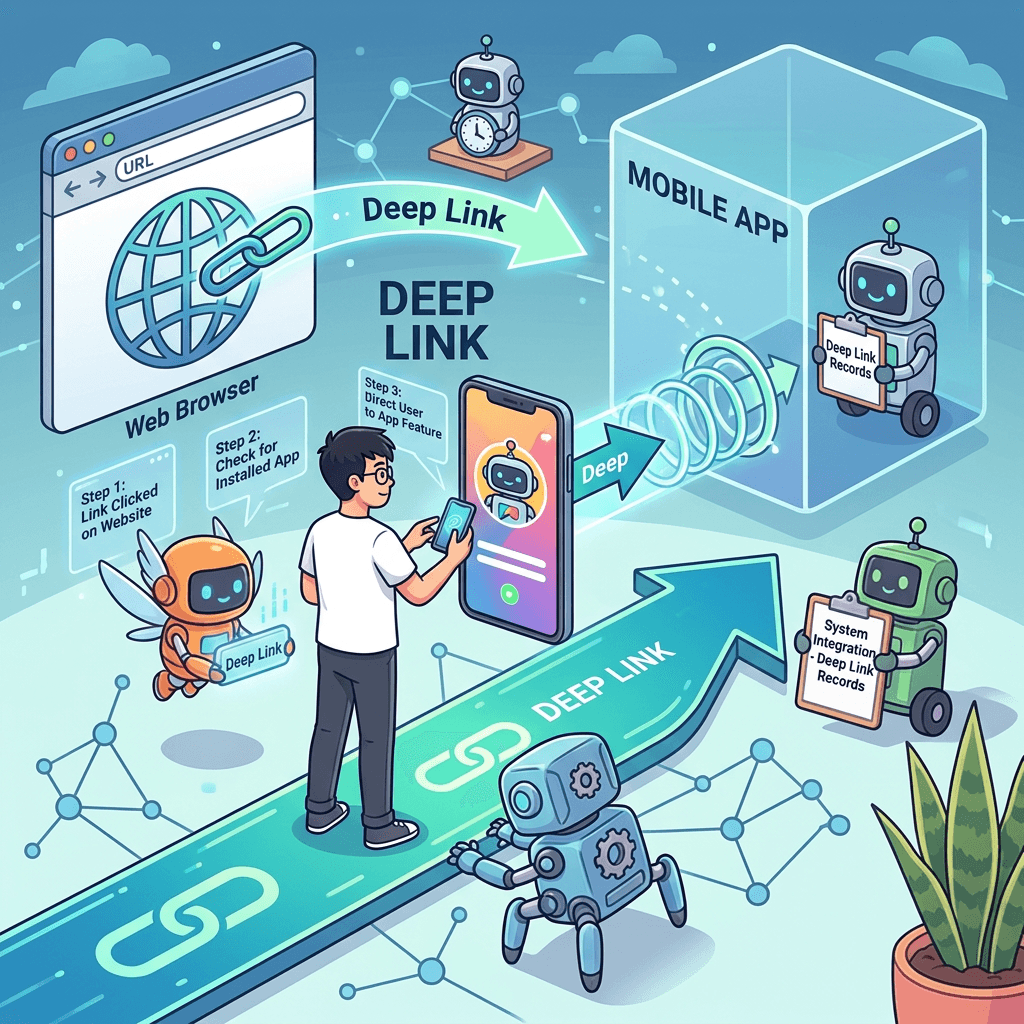
As part of an ongoing project at my current company, I need to implement a feature where client employees can scan a QR code with their camera app and be directed straight to a specific screen within a mobile app.
So, I decided to study the concept of Deep Links related to this.
What is a Deep Link?
One-sentence definition: A Deep Link is a technology that routes users directly to a specific screen within a mobile app via a link. It is used across various channels, such as web URL clicks, QR scans, push notifications, and advertisements.
The name "Deep" implies going deep directly into the app (a specific screen). Instead of landing on the app's home screen, it takes you straight to the "Clock-in screen," for example.
Why is it needed?
Scanning a QR code gives you a URL.
https://tna.example.com/clock?store=STORE_001&action=clock_in&ts=...&sig=...
There are three scenarios for handling this URL.
Scenario 1: Web browser opens (No Deep Link)
  Employee scans QR → Browser opens → Login page → Log in → Clock-in processed
  (Slow and cumbersome)

Scenario 2: App opens directly (Deep Link enabled, app already installed)
  Employee scans QR → App's clock-in screen opens immediately → Clock-in processed
  (Fast and convenient)

Scenario 3: App is not installed (Deep Link enabled)
  Employee scans QR → If the app is missing, redirects to the App Store or falls back to a web page
  (Reasonable)
Without a Deep Link, you have to go through the browser every time. With it, a QR scan allows for an immediate app launch.
3 Types of Deep Links
Deep Link technology has evolved over time. Understanding this evolution is key to knowing why Universal Links and App Links were introduced.
Type 1: Custom URI Scheme
mytnapp://clock?store=STORE_001&action=clock_in
This is the most primitive method. The app registers its own custom scheme (like mytnapp://), and when a URL starting with this scheme is invoked, the OS launches the corresponding app.
How it works:
1. Registered with the OS upon app installation: "I will handle the mytnapp:// scheme."
2. User clicks the mytnapp://... link
3. OS finds and launches the registered app
4. App parses the URL and navigates to the corresponding screen
Critical Issues:
First, there is no ownership verification. Any app can register the mytnapp:// scheme. If a malicious app registers the same scheme, user data could be routed to it. This is a significant security risk.
Second, if the app isn't installed, nothing happens. While https:// opens a browser, mytnapp:// just throws an error if there's no app to handle it. Fallback handling does not occur automatically.
Third, it is not web-compatible. Opening mytnapp:// in a web browser will result in a "Cannot open this link" error.
Type 2: iOS Universal Link & Android App Link
https://tna.example.com/clock?store=STORE_001&action=clock_in
Apple and Google created Universal Link (iOS) and App Link (Android) respectively to solve the problems of Type 1.
Core idea: Use standard HTTPS URLs directly as Deep Links. Instead of a custom scheme, it uses https://, but the OS verifies at the system level whether the domain of this URL truly belongs to the corresponding app.
Type 3: Deferred Deep Link
This is a technology where, if the app is not installed, the user is redirected to the app store to install it, and upon the first launch, they are routed to the originally intended screen. It is a functional layer that operates on top of Universal Links or App Links, with third-party services like Firebase Dynamic Links (currently deprecated) or Branch.io handling this role. In this study, we will focus on Type 2.
Universal Link (iOS)
https://myapp.com/product/123
It uses a standard HTTPS URL as is, but iOS knows that "this domain is associated with this app." If the app is installed, it opens the app.
Two things required to make it work:
- Server-side: Deploy the
https://myapp.com/.well-known/apple-app-site-association(AASA) file - App-side: Register the domain in the Associated Domains entitlement
Core workflow:
- Upon app installation, iOS downloads the AASA file in advance and caches the domain-app mapping
- User clicks
https://myapp.com/product/123 - iOS checks the cached mapping → If the app exists, it opens directly in the app
- If the app does not exist → The webpage for the URL opens normally in Safari
Advantages: Since it's a standard HTTPS URL, it naturally falls back to a webpage even without the app, and because domain ownership is verified, there are no scheme collision issues.
App Link (Android)
https://myapp.com/product/123
This is the Android version of Universal Link. The structure is almost identical.
What is needed:
- Server-side: Deploy the
https://myapp.com/.well-known/assetlinks.jsonfile - App-side: Configure intent-filter +
autoVerify="true"in AndroidManifest.xml
Core workflow:
- Upon app installation, Android downloads assetlinks.json to verify the domain-app mapping
- User clicks the URL
- If the verified app exists → It opens directly in the app (without a chooser dialog)
- If the app does not exist → The webpage opens in the browser
"Redirect to Store if App Not Installed" Scenario
Universal Links and App Links work exactly as intended when the app is already installed. However, if the app is not installed on the device, they do not inherently support redirecting users to the store for immediate installation.
To implement the "Redirect to Store if App Not Installed" requirement, systems are usually structured like this:
The server's webpage (https://myapp.com/product/123) acts as the core hub.
- Universal Link / App Link triggers → App opens directly (bypassing the webpage)
- If the app is missing, the webpage opens → JavaScript on the webpage determines the User-Agent:
- iOS → Redirect to the App Store
- Android → Redirect to the Play Store
- Desktop → Display web content
With this approach, a single URL (https://myapp.com/product/123) can cover all scenarios.
Things to Watch Out For in Practice
Universal Link Pitfalls:
- Universal Links do not trigger if you type the URL directly into the Safari address bar (an intentional design by Apple - assuming the user intends to view the web).
- Clicking a link within the same domain does not trigger a Universal Link (it must be cross-domain).
- If a user chooses to open in Safari instead of the app once, that domain will continue to open in Safari thereafter.
App Link Pitfalls:
- Behaviors may vary on custom browsers from certain Android manufacturers (e.g., Samsung).
- If
assetlinks.jsonverification fails, on Android versions below 12, a chooser dialog pops up like a standard intent-filter; on Android 12 and above, it opens in the default browser without a dialog.